

Family life
Your family’s day on the tablet you already own
Everyone’s plans in their own color, tonight’s dinner, the list, and the chores. It pairs with a code instead of a password, and shows family photos when nobody is touching it.
- Runs on a tablet you own
- Pairs with a code
- Family photos when idle
- Hey Homii on Family Plus AI
5:24PM
Wednesday, October 7
Book club in 36 min
64°Clear
H 71° · L 55°
Today’s schedule
3:30 PM
4:30 PM
Soccer practice
6:00 PM
7:30 PM
Book club
7:00 PM
7:45 PM
Piano lesson
Tomorrow
All day
Recycling day
8:15 AM
9:00 AM
Dentist
Today’s meals
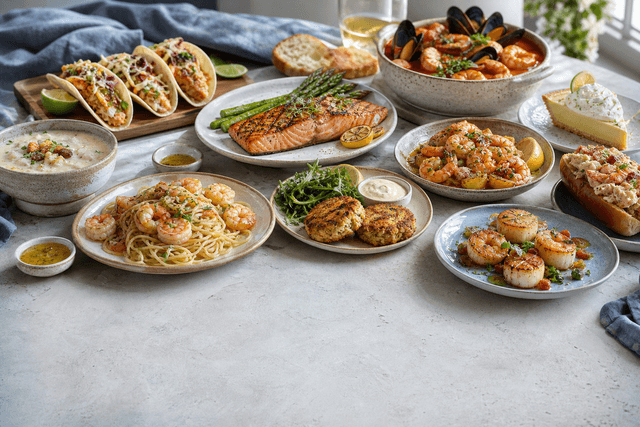
Dinner · 7:45 PM
Sheet-pan salmon
35 min · a quick one on a book club night
Shopping list
- Oat milk
- Basil
- Eggs
- Rice
Fridge notes
Sam
Thaw chicken for Friday
Maya
Field trip form needs a signature
On the wall
The day leads. Dinner is one glance away
Today in each person’s color, tonight’s dinner with Keep and Swap, the list, and the fridge notes. The top line says what is next.
5:24PM
Wednesday, October 7
Book club in 36 min
64°Clear
H 71° · L 55°
Today’s schedule
3:30 PM
4:30 PM
Soccer practice
6:00 PM
7:30 PM
Book club
7:00 PM
7:45 PM
Piano lesson
Tomorrow
All day
Recycling day
8:15 AM
9:00 AM
Dentist
Today’s meals
Dinner · 7:45 PM
Sheet-pan salmon
35 min · a quick one on a book club night
Shopping list
- Oat milk
- Basil
- Eggs
- Rice
Fridge notes
Sam
Thaw chicken for Friday
Maya
Field trip form needs a signature
What lives on the board
Four tiles on the default board, more in Customize, and a full calendar one tap away.
The day, in each person’s color
The schedule leads the board: today’s events as bubbles in their owner’s color, then tomorrow underneath. Calendar opens on Agenda, Day, Week, or Month.
- A shared event carries every owner’s color
- Past events step back; the one happening now is ringed
- Month starts from this week, not the 1st
Dinner, the list, and the chores
The meals tile shows what matters at this hour, with Keep and Swap. The shopping list checks off in one tap. Kids tick their own chores.
- Breakfast, lunch, and dinner move with the clock
- Add to the list from the board, no phone needed
- A celebration when a child ticks a chore
Set up from your phone
The tablet shows a code and your phone signs it in. A checklist covers the rest, and the settings are ones a family actually changes.
- Add to Home Screen and Guided Access, step by step
- Sleep hours and night ambience
- Large text for reading across the room
Worth looking at when idle
After 3 minutes the board steps back to the time, the weather, tonight’s dinner, and what is coming up. Your family photos play there too.
- Photos free on every plan, uploaded by adults
- Guest boards only show guest-safe albums
- A dawn, day, dusk, and night scene
How it works
Step 1
Pair the tablet
Go to gethomii.ai/wall on the tablet, enter the code it shows on your phone, and pick whose board it is.
Step 2
Pick a board
Start from adult, kid, guest, or cook. Add, drag, or resize tiles, and set a PIN if kids use it.
Step 3
Leave it on
It stays awake, dims on your sleep hours, and shows the time, the weather, and your photos when idle.
Frequently asked questions
Do I need to buy a wall display?
No. Kiosk Mode runs in the browser on an iPad or Android tablet you already own. There is no Homii hardware to buy.
How do I put it on the wall?
On the tablet, go to gethomii.ai/wall and it shows a short code. On your phone, tap your photo, then Pair a wall tablet, and enter the code. No password is typed on the wall. A checklist then covers Add to Home Screen and Guided Access.
Can kids change things?
Kids can tick off their own chores, add to the shopping list, and leave a fridge note. Set a household PIN and undoing a chore, approving one, changing the layout, and adding or editing an event all ask for it first. With no PIN, the board is open to everyone.
Will the screen stay on?
Yes. The board keeps the screen awake and takes the wake lock back if the tablet drops it. During your sleep hours, 9:00 pm to 6:30 am unless you change them, it dims to a night scene.
What does it show when nobody is using it?
After 3 minutes untouched: the time, the weather, tonight’s dinner, and what is coming up in each person’s color. Add family photos in Family & Home → Photos and they play there too. Guest boards only show albums you mark guest-safe.
Can I change what is on the board?
Yes. Start from the adult, kid, guest, or cook board, then turn tiles on or off, drag them, and resize them. Each person’s layout is saved to their account and updates live on any board showing it.
How do I talk to Homii from the board?
Tap Hey Homii at the bottom of the board and speak. Voice needs Family Plus AI. Guest boards hide the button, and kid boards show it only if you turn it on.
Is Kiosk Mode free?
Yes, for every signed-in household. Photos are free too: up to 500 on Free, 5,000 on Family Plus, and 25,000 on Family Plus AI. Who’s home needs Family Plus, and voice needs Family Plus AI.
60-day free trial
Pair a tablet with a code. Kiosk Mode is free for every household.