

Alpha · Family Plus AI
AlphaHomii can see what you’re cooking
Aim the camera at the stove and cook with Homii out loud. Ask what it sees — or turn on Watch and get a nudge only when the pan needs you.
Web Alpha · Homii chat and Cook Mode
Homii
Homii Camera
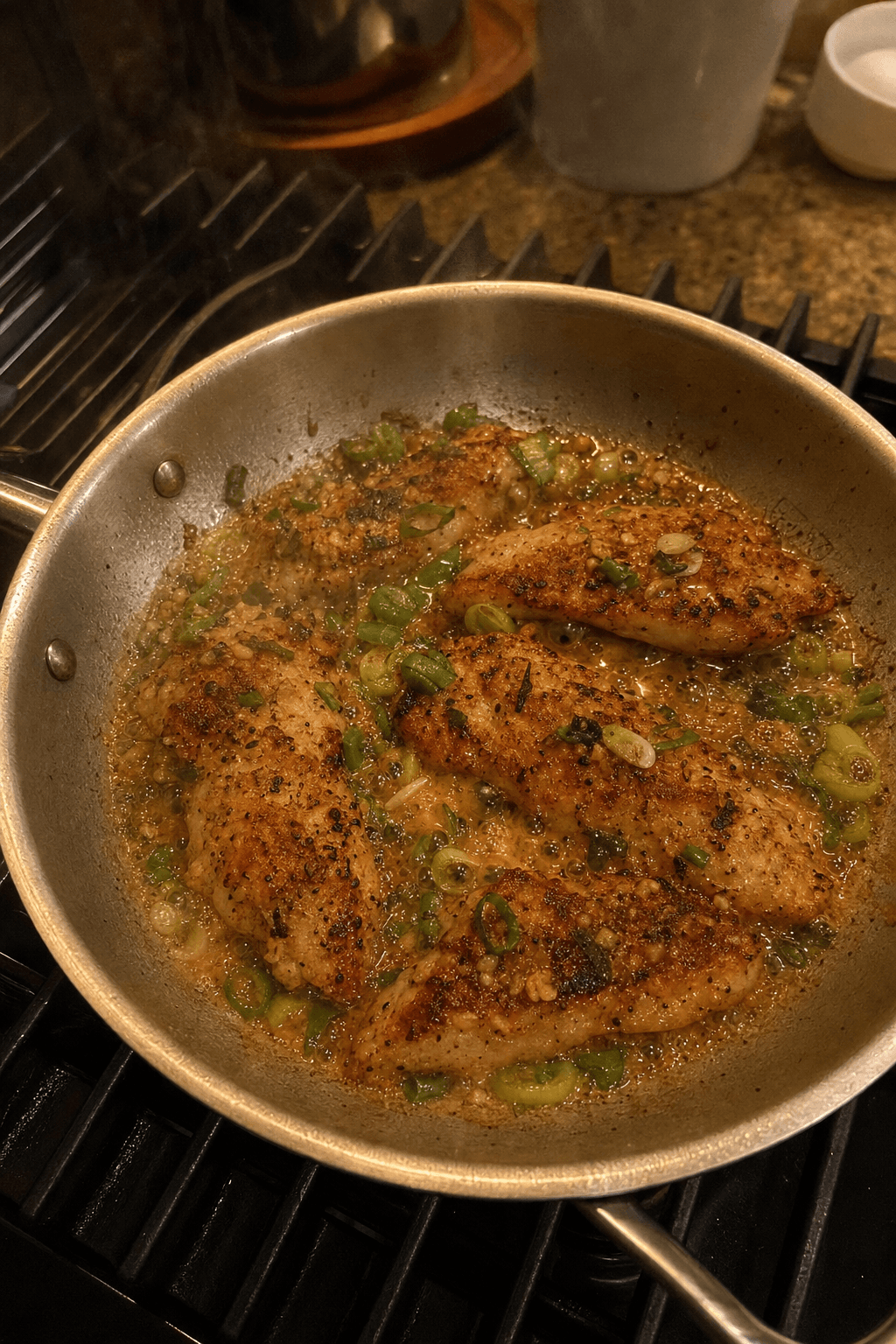
Watching pan
“Lower the heat — the edges are catching.”
Ask what it sees
“Is this browned?” “What’s boiling over?” Homii answers from the live frame — color, steam, mise — while you keep your hands free.
Watch my pan
Optional. Homii keeps glancing at the feed and only speaks when something looks urgent. Silence means you’re fine.
Same Homii, with eyes
Tools, confirm cards, and household guardrails stay the same. Camera adds sight — it doesn’t rewrite how Homii works.
At the stove
Kitchen moments that need eyes
Camera isn’t another recipe browser. It’s Homii looking with you while dinner is already happening.
You’re chopping. The pan is behind you.
Turn on Watch. Homii keeps an eye on the skillet and only speaks if something starts to catch.
“Is this browned enough?”
Aim the camera and ask. Answers use what is in frame — not a guess from the recipe card alone.
Sauce climbing the sides.
Watch notices the change and can call out boil-over before you’re wiping the burner.
Kids helping at the counter.
Same safety-minded Homii — now with eyes on heat, oil, and what’s actually happening.
Quiet when it’s fine. Loud when it’s not.
Watch doesn’t narrate every simmer. It watches for change — catching edges, climbing sauce, sudden smoke — and speaks a short “act now” line. Otherwise it stays out of the way.
- Opt-in — off until you turn it on
- Speaks only when the cook should do something
- Works alongside Ask — not instead of it
How it works
Step 1
Open Camera
In Homii, tap Camera. In Cook Mode, open Camera from the voice bar while you’re listening.
Step 2
Show the stove
Allow camera access, aim at the pan, and ask out loud — color, boil, mise, “is this done?”
Step 3
Turn on Watch when you want a second pair of eyes
Watch only speaks when something looks wrong. Silence means keep cooking.
Cooking help that can see the pan
Homii already plans and shops with your household. Camera adds sight — so guidance matches what is happening on the stove, not a generic guess from the recipe alone.
Frequently asked questions
What is Homii Camera?
A new way to cook with Homii on the web: turn on your kitchen camera so answers are grounded in what is actually in the pan — browning, boil, mise — with the same tools and confirm cards as voice.
What does Watch my pan do?
Watch is optional. Homii keeps glancing at the feed and only speaks when something looks urgent — catching, boil-over, burning. If the pan looks fine, it stays quiet.
Is my camera video stored?
No. Frames are used live for that session. Homii does not save a recording of your camera feed into chat history.
Where does Camera work?
On web today: the Camera tab in Chat with Homii, and the Camera control in Cook Mode voice. Mobile is not in this Alpha yet.
Is Camera included with Family Plus AI?
Yes. It uses your existing Homii chat and voice cooking access. The Alpha badge means we are still tuning Watch for real kitchens.
60-day free trial
Open Camera in Homii or Cook Mode. Let the stove stay in frame.